SPM-ETGX-PXT Industrial 10G Media Converter: Complete Product Guide
1 Product Overview
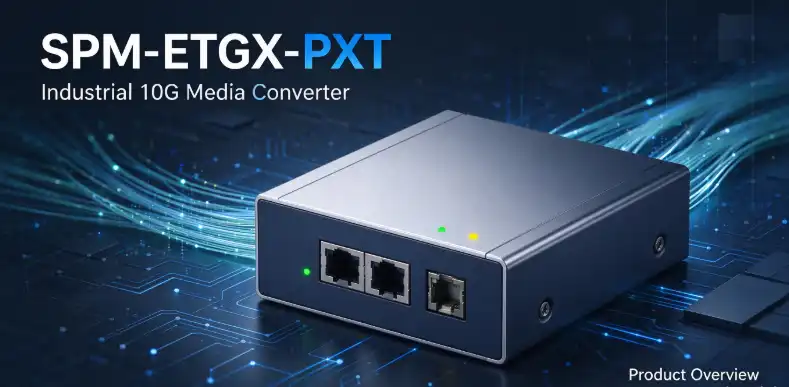
The SPM-ETGX-PXT is Sopto's most compact industrial 10G Ethernet media converter, providing 1 RJ45 copper port ↔ 1 SFP+ fiber port media conversion. The copper port auto-adapts to 100M/1G/2.5G/5G/10G BASE-T, while the fiber port features an SFP+ pluggable 10G slot; IP40 aluminum alloy fanless enclosure, operating temperature -40°C to +75°C, supports 12-48VDC dual redundant power supply, supports DIN rail and wall mounting, suitable for 10G network extension in harsh industrial environments such as factories and outdoor cabinets. The entire switch architecture bandwidth is 20Gbps, non-blocking wire-speed forwarding, store-and-forward processing mode, supports up to 16K jumbo frames, and 9K MAC address table entries.
Physical Parameters
- Dimensions: 95mm x 70mm x 30mm; Weight 0.25kg
- MTBF: >200,000 hours; Maximum power consumption 5W
- Certifications: ISO9001, CE, RoHS, FCC, meets full industrial EMC immunity standards (ESD/EFT/surge, etc.)
Packing List
1 media converter, DIN rail mounting kit, wall mounting kit, warranty card; SFP+ optical modules must be purchased separately, packaging does not include optical modules.
2 Hardware Installation
2.1 Device Mounting (Choose One)
- DIN Rail Mounting: Insert the matching rail clip into the back of the device, vertically snap onto a standard DIN-35 rail;
- Wall Mounting: Use the wall mounting kit, secure the device to the cabinet/wall plane using the pre-drilled mounting holes on the enclosure;
Note: The device uses fanless cooling. Leave >=15mm ventilation clearance around the enclosure. Do not block or cover the heat dissipation fins on the enclosure to ensure reliable operation across the -40°C to +75°C wide temperature range.
2.2 Power Wiring
The device uses a 4-pin terminal block, supporting 12-48VDC redundant dual power input, with reverse polarity protection and input overload auto-recovery protection.
- Single power supply is supported, but it is recommended to use two independent DC power supplies for redundancy in industrial environments. If one fails, the other maintains device operation;
- Do NOT connect AC220V directly to the terminals; terminals only accept 12-48V DC;
- Grounding the metal enclosure is recommended to improve EMC immunity performance.
2.3 Interface Wiring
(1) RJ45 Copper Port (TP)
The copper port supports Auto-MDI/MDI-X automatic crossover, eliminating the need to distinguish between straight-through and crossover cables. Cable selection must strictly follow the speed requirements:
| Speed | Minimum Cable Specification | Maximum Transmission Distance |
|---|---|---|
| 10G BASE-T | Cat6A / Cat7 | 100m |
| 5G BASE-T | Cat6 / Cat6A / Cat7 | 100m |
| 2.5G/1G | Cat5e or above | 100m |
| 100M | Cat5 or above | 100m |
Maximum cable distance is 100 meters. Both UTP unshielded or EIA/TIA-568 100Ω STP shielded twisted pair cables are acceptable.
(2) SFP+ Fiber Port (FX)
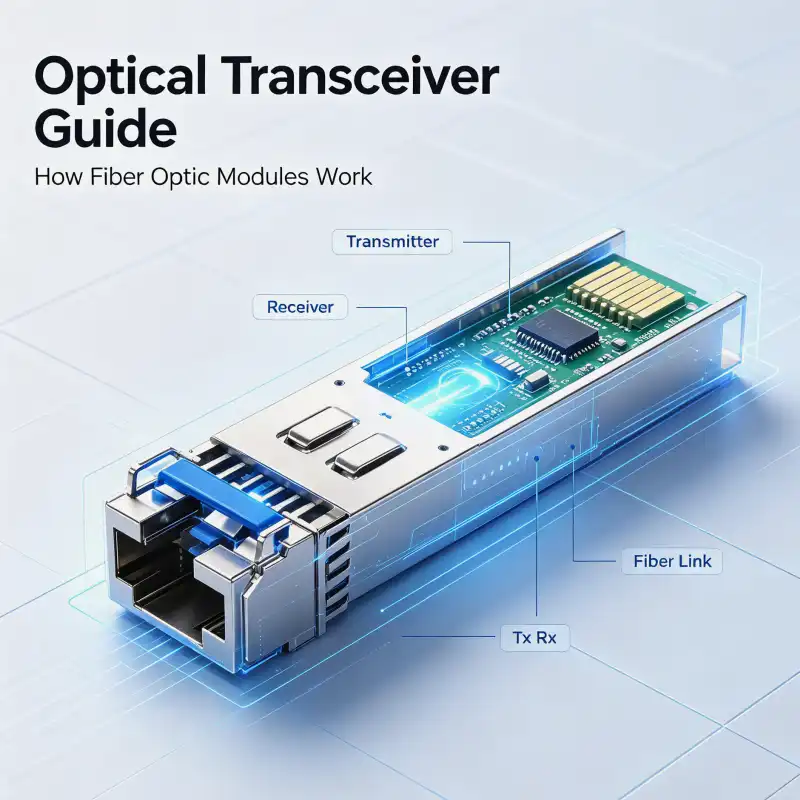
- Wear anti-static protection, insert a compliant 10GBASE-X SFP+ optical module (SR/LR/BX etc. 10G SFP+, not compatible with Gigabit SFP);
- Connect fiber patch cables: multimode 50/125um fiber up to 300m; single-mode 9/125um fiber up to 80km. Cross-connect TX/RX ports;
- Always cover unused fiber ports with dust caps to prevent dust damage to optical components.
Tip: SFP+ modules must match the fiber type. Multimode modules require multimode fiber, single-mode modules require single-mode fiber, otherwise the link will not work.
3 DIP Switch Description
The 4-position DIP switches SW1-SW4 are all reserved at factory default with no preset functions. DIP switch functions support customer customization. Factory ON/OFF states are reserved. Normal projects do not require DIP switch adjustment, keep default settings. For custom functions, please contact Sopto technical team for firmware and hardware customization.
4 LED Indicator Diagnostics
| LED | Label | Status Description |
|---|---|---|
| PWR | Power Status | Solid ON: Power normal; OFF: No power / power abnormal; Dual power redundancy, PWR lights up when either power source is available |
| TP | Ethernet Copper Port Status | Solid ON: RJ45 port link UP; Blinking: Data transmitting/receiving; OFF: Cable not connected, remote end not powered |
| FX | SFP+ Fiber Port Status | Solid ON: Fiber link established successfully; Blinking: Fiber port transmitting/receiving data; OFF: Optical module not recognized, fiber disconnected, no signal from remote end |
Quick Troubleshooting Guide:
- PWR not lit → Check DC terminal voltage and polarity, confirm 12-48V DC input; Device has built-in reverse polarity protection, reverse connection will not damage the device but it will not start;
- TP LED not lit: Check cable grade, length, and whether the remote port is enabled; For 10G speed, always use qualified Cat6A cable;
- FX LED not lit: Confirm SFP+ is a 10G SFP+ module, verify fiber transmit/receive direction, check if fiber distance exceeds the module's rated distance.
5 Protocol and Forwarding Parameters
- Complies with IEEE standards: 802.3u/802.3ab/802.3bz/802.3ae, supports EEE energy-efficient Ethernet 802.3az; Full-duplex flow control IEEE802.3x;
- Negotiation mode: 100M/1G supports half/full-duplex auto-negotiation; 2.5G/5G/10G supports full-duplex only;
- Forwarding mechanism: Store-and-forward; Switching fabric 20Gbps; Supports 16K jumbo frames; 9K MAC address table with automatic address learning and aging;
- Plug-and-play, no configuration management required, works immediately upon power-up and connection.
6 Maintenance and Precautions
- Storage temperature -40°C to +85°C, device must not be stored outside this range; Operating humidity 5-95% non-condensing;
- Fanless design relies on aluminum enclosure for heat dissipation, do not wrap the device;
- In high electromagnetic interference industrial environments, prioritize using shielded cables + reliable enclosure grounding to improve surge and ESD resistance;
- Does not support PoE output, RJ45 port is for data transmission only, cannot power cameras or other devices;
- Order model: SPM-ETGX-PXT; Does not include SFP+ optical modules, corresponding distance SFP+ 10G optical modules must be selected separately.