General Description
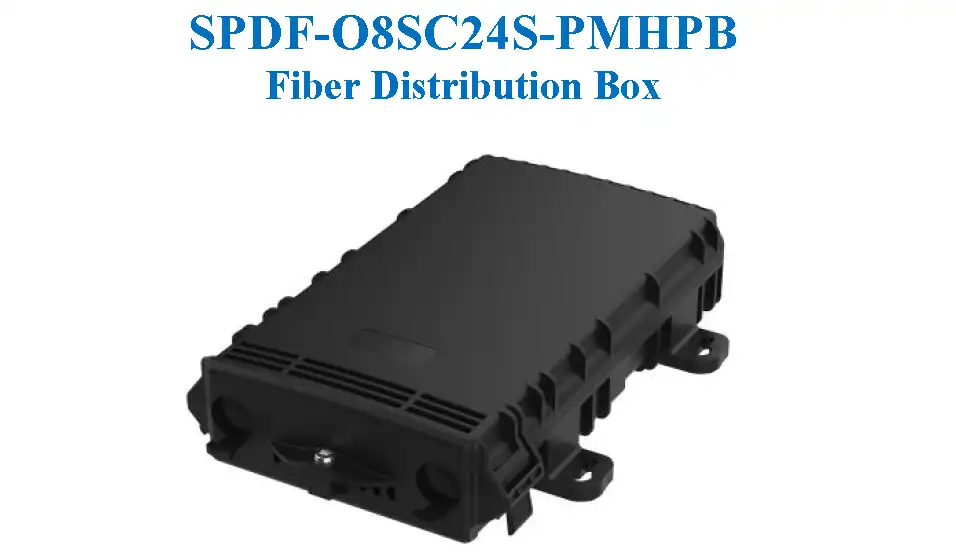
This Fiber distribution box is used in the FTTH network for connecting the drop cable to the feeder cable. It provides fiber splicing, splitting, storage and management within a suitable place. The mini-PLC can be installed in the box which can be installed in wall or pole mounting mode.
Features
- Beautiful and compact model, easy for installation
- Neat fiber management and good protection
- Excellent sealing performance, waterproof and dustproof, meeting the ingress protection grade of IP68
- High strength material with good environmental adaptability, impact resistance of IK10
- 1:8 or 1:4 Mini-PLC splitter could be configured inside, supporting 8pcs SC/APC adapters
- Suitable for indoor and outdoor applications, supporting wall mounting and pole mounting
Application
- Telecommunication subscriber loop
- Fiber to the home (FTTH)
- LAN/WAN
Specification
| Item | Parameter |
|---|---|
| Splicing capacity | Max 24F |
| Splitter configuration | Max 2 splitters, 1pc 1:8 or 2pcs 1:4 micro splitters |
| Adapter configuration | Max 8 ports SC/UPC or SC/APC adaptor |
| Ingress protection grade | IP68 |
| IK grade | IK10 |
| Sealing mode | Gel sealing |
| Cable diameter | 2 ports Φ7~14mm |
| Installation method | Wall mounting, pole mounting |
| Working temperature | -55~+65℃ |
| Dimension (H×W×D) | 230mm×155mm×50mm |
Drawing
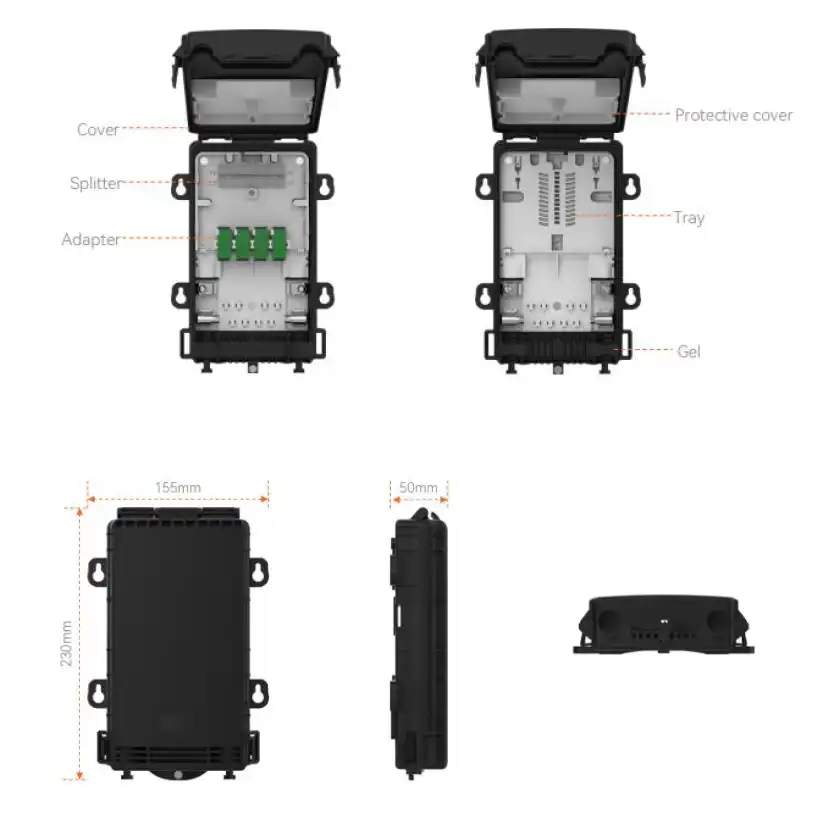
Cable connection diagram
Cable stripping diagram
Installation Instructions
Cable Stripping
Mark the cut point on the cable, strip the cable outer sheath for a suitable length for about 1100mm. Cut the strength member to 28mm from the sheath. As shown in Figure.
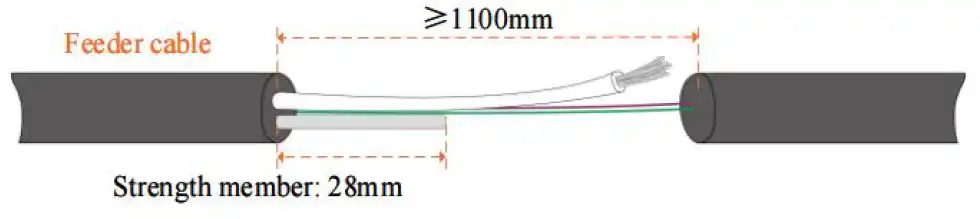
As for 10×14mm figure-8 cable, cut 50mm of the steel wire, retain 28mm of the FPR strength member. As shown in Figure.

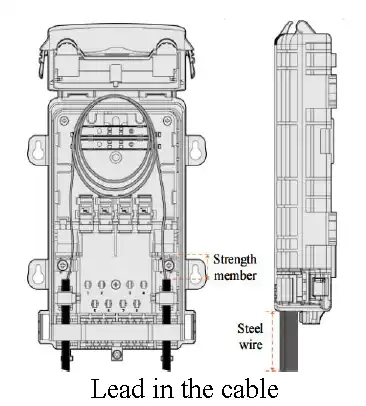
Cable Fixing
Open the cover with the T15 screw wrench. Lead the cable through the port. For 10×14mm figure-8 cable, retain the wire outside and simply insert the cable into the closure. Cable entry as shown in Figure.
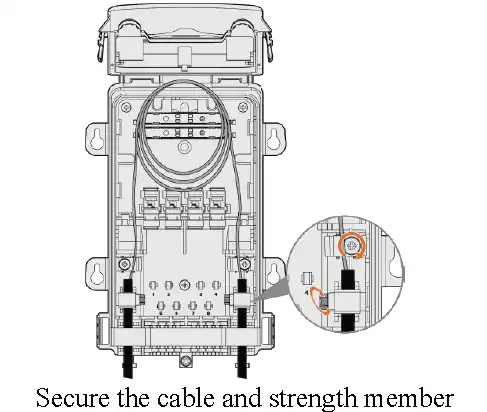
Insert the strength members into the components and secure them with the screws. Tighten the cable with the hose clamps.
Cable Route
The cable route diagram of Fiber distribution box is shown below.
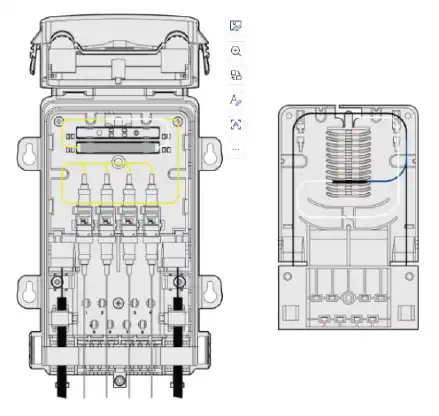
Fiber route with mini-PLC splitter
Splice the fibers with the bare fiber protective sleeves and fix them in the tray slots, each slot can be overlapped with two fused fiber protection sleeves.
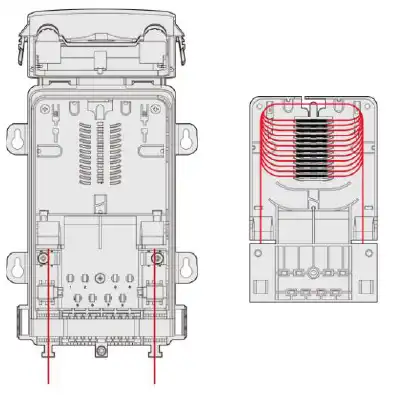
Fiber route of direct splice
Product Installation
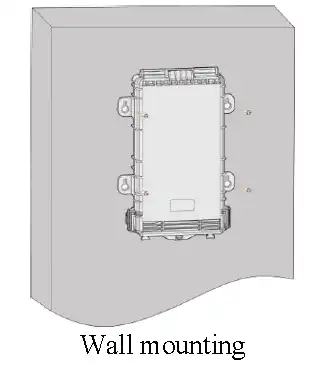
Wall Mounting
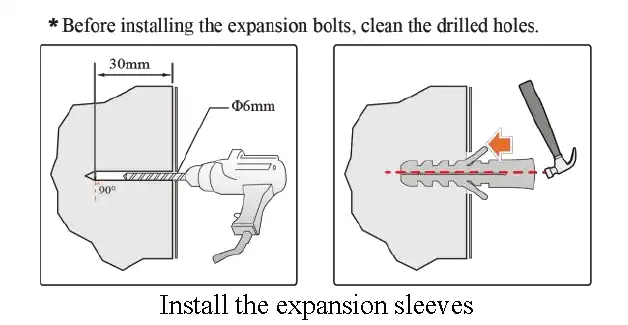
Drill 4 holes on the wall, the diameter of the hole is 6mm and the depth of the hole is at least 30mm. Put plastic expansion sleeves inside the holes.
Secure the closure with self-tapping screws.
Pole Mounting
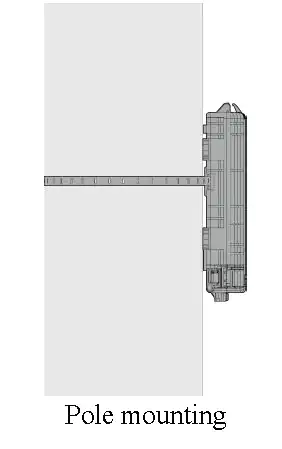
Pass the hoops through the pole securing holes at the back plate.
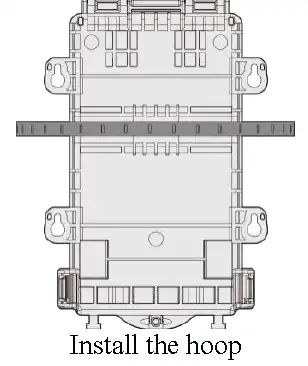
Tighten the hoop to secure the closure on the pole.
Ordering Information
| Part Number | Product Description |
|---|---|
| SPDF-O8SC24S-PMPB | Splitter Distribution Box Outdoor pole mounted/wall mounted 8 cores Simplex SC/Duplex LC type 24 cores Fusion maximum capacity available for Steel tube splitter installation without hoop, adaptors, pigtails and splitter, Plastic Single door type B |
| SPDF-O8SC24S-PMHPB | Splitter Distribution Box Outdoor pole mounted/wall mounted 8 cores Simplex SC/Duplex LC type 24 cores Fusion maximum capacity available for Steel tube splitter installation with hoop, without adaptors, pigtails and splitter, Plastic Single door type B |
Contact Us
Note: If you need more customized services, please contact us.
E-mail: info@sopto.com.cn
Web: http://www.sopto.com.cn